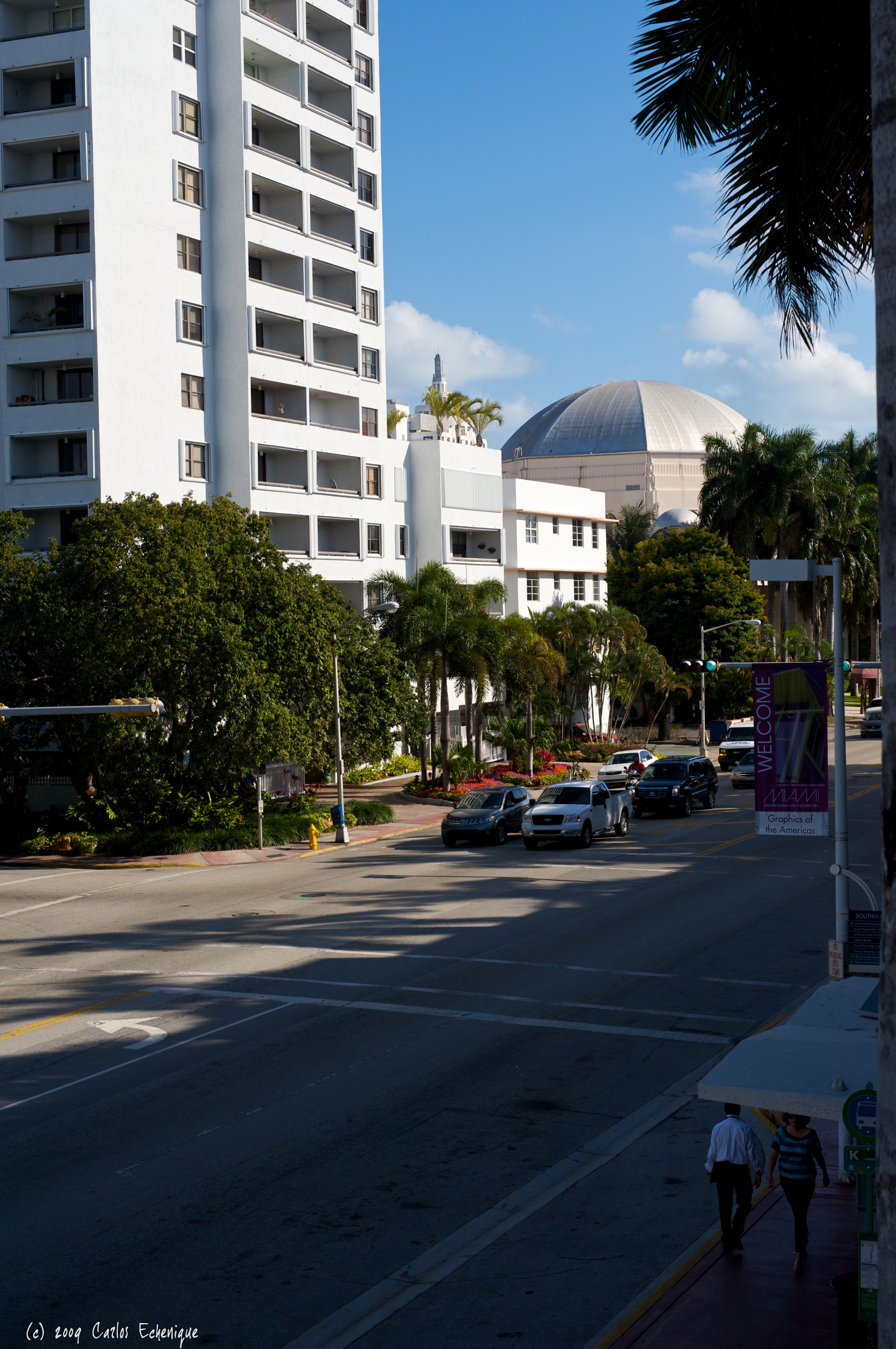
After reading my previous blog entry “A Morning with Capture Integration”, the folks at Digital Technology Group (DTG) invited me to their suite at the Graphics of the Americas expo held in Miami Beach for some “hands-on” time with the Hasselblad H-System.
DTG is based out of Tampa, FL and is the local Hasselblad (and Alpa) dealer (among many other things) here in Florida. That is saying a lot. Florida is the 4th largest state in the USA and Miami-Dade County is twice the size of the state of Rhode Island all by itself. It’s a big area to cover and I appreciate their inviting me over.
I have previously spoken about the Hasselblad H-System, but this was my first “hands-on” session that wasn’t rushed by a crowd of slavering photogs hoping to get a chance to fondle $30K worth of camera. Just me (and Jordan Miller from DTG and Greg Hollmann and Gina Connor from Hasselblad USA) and the H-System for two hours.
Impressions
Most digital medium format systems are generally larger/heavier than 35mm digital counterparts. At first blush I would have said the same thing about the H-System and the H3DII in particular. Metal barrelled lenses, a hefty looking camera body with a large viewfinder and digital back all add up to weight. In my hand, however, the H3DII balanced perfectly. Granted, if I slapped on the largest zoom they brought it felt a bit more cumbersome, but it was no worse than my D700 + MB-D10 Grip + 70-200 VR lens. In fact, the H3DII was actually shorter and easier to handle that my Nikon due to the design of the grip which places the hand fairly close to the center of balance on the system, even with a zoom mounted.
Even though some folks complain about the H3 being a “closed system” (only Hassy H3 parts/lenses can be used in the system), I don’t view this as a bad thing. Heck, this formula has been working for Apple for years. As I have said before, this is the “Macintosh of Medium Format.” I also checked with Jordan and he confirmed that the H3 digital backs are compatible with Alpa Technical Cameras. The only gotcha here is that the H3 back is powered by the H3 body so you would have to purchase the optional ImageBank or tether the back via Firewire to you Mac/PC in order to power it. On the plus side, you don’t have to use a wakeup cable with the H3 backs like you do with the Phase-One backs.
Alpa TC + Hasselblad 39 Mpx Digital Back courtesy of Dr. Bob Moore
The Hasselblad system allows an unprecedented level of integration between components. I should point out that the term “unprecedented” applies to the medium format realm. This sort of thing has been the norm in 35mm DSLRs for years now. Chipped lenses passing image telemetry back to the sensor is currently in it’s first generation in medium format world. Upcoming systems, like Leica’s S2, promise even tighter integration between components.
So what does this mean image-wise?
Chipped lenses can pass critical distance information along with any kind of optical correction info back to the sensor. I imagine that in future versions of the lenses, factory testing will load sample specific optical correction data into the lens’ chipset allowing the camera to apply adjustments specific to the lens being used, not just generic corrections for the entire lens series.
Hasselblad digital backs only record images in their native RAW format. No other format option is available. The only software package that can process those images is Hasselblad’s Phocus software for Mac/PC (sorry Linux crowd). This would be a problem if Phocus sucked, but fortunately Hasselblad but just as much time and effort into the software as they did to the hardware/firmware.
Phocus is a full on 64-bit multi-core aware image processing application. Considering that is has to cope with hundreds (if not thousands) of images starting at 31 megapixels all the way up to 50 megapixels (and very shortly, 60 megapixels), Phocus is designed to handle large amounts of big images. Also keep in mind that most, if not all, medium format digital backs record in 16-bits per color channel (that’s 64K shades of RGB = 28 trillion colors).
[EDITOR'S NOTE: Apple Aperture 2 does read 3FR files from the H3D & H3DII-31. DAC information is not used by Aperture but all other data is. Hopefully Apple will add support for all Hasselblad H Digital Backs in the near future.]
DTG was kind enough to provide me access to Phocus and some sample images to work with. The cameras used for comparison are:
Hasselblad H3DII-50
100mm f/2.2 lens (roughly 50mm equivalent)
ISO 50 (lowest possible setting)
Shot native format (3FR) and converted using minimal adjustments.
vs.
Nikon D700 (12 Mpx)
CV 58mm f/1.4 lens (The Nikon D700 is a full frame camera)
ISO 200 (lowest setting)
Shot native format (NEF) and converted using minimal adjustments.
These two tiny jpegs (Hasselblad on the right, Nikon on the left) do not do either of these cameras justice. To truly appreciate the images one must see them in full size. Here are links to the full-sized images:
Nikon imageHasselblad image
Remember, these are 24-bit jpegs (8-bits per channel) and as such have lost a lot of the color information captured by both cameras. The Nikon normally captures 12-bits/channel and can be pushed to 14-bits. As mentioned before, the Hasselblad captures at 16-bits/channel. And just in case you are thinking that 2-4 bits difference is no big deal, every bit doubles the number of colors captured by the sensor.
Hasselblad employs a central leaf shutter system which gives the H-System flash compatibility at all shutter speeds with the drawback that the system is limited to a max shutter speed of 1/800s which is not a big deal in the studio, but may require use of neutral density filters if used wide open for landscapes. This is not a sports camera.
Conclusion
The Hasselblad H-System is a solid piece of engineering. Well-balanced and built like a tank, it provides the photographer (who can afford it) a truly spectacular tool for capturing images. Hasselblad’s system approach is a love/hate kind of thing. If you love that kind environment, then this is the camera for you. If you’ve got a bit of William Wallace in you, you may want to look at a more flexible system. I am not saying that the H-System is limiting in any way. There are plenty of choices and third party gear that can be used with the H-System, just not as many as everybody else.
The files produced by the H-System contain a staggering amount of image information and detail. So much so that portrait work may require A) a softening of the subject in order to hide skin imperfections or B) the hiring of a really, really good makeup artist (probably both.)
If you like the way Apple Inc. builds computers, you’ll fall for the Hasselblad approach. I know I want one.
I would be remiss if I failed to talk about other medium format systems that offer an extensive solution for landscape and architectural photography. Case in point: Hasselblad. Long time purveyor of medium format cameras, Hasselblad has gone digital in a very big way. Their H-System is currently on its fifth generation with the H3D-II, and with it Hasselblad has decided to take a systems approach to medium format. Think of them as the Apple of medium format.
The H-System also include a set of matched lenses that, like lenses on 35mm systems, transmit a wealth of information back to the camera for use in adjusting and correcting the image in post production. There are 5 HC/HCD lenses available currently ranging from HCD 28mm (equivalent to 14mm in 35mm format) to the HC 100mm.
So how is this a technical camera, there are no tilt/shift lenses?
Funny you should ask. Hasselblad elected to create an accessory that converts all five HC/HCD lenses into tilt/shift lenses: the HTS 1.5. So in one fell swoop, Hasselblad has trumped the other general purpose medium format camera makers by introducing five tilt/shift lenses.
Front of the HTS 1.5
Rear of the HTS 1.5
As you can see above, the HTS has passthrough contacts that allow the full functionality of the HC/HCD lenses to be maintained. This is vitally important as the shutter on a Hasselblad H-System camera is located in the lenses. This also means that autofocus and data reporting to the camera is also maintained. This is huge. To my knowledge, this is a Hasselblad exclusive.
Now that I have you salivating over this comes the reality check. The price of admission to this gear is very high. Hasselblad has a special promotion going on now until March 31, 2009 for architectural and landscape photographers: A Pro Kit that includes the following:
Hasselblad H3DII-50 camera w/viewfinder
HCD 28mm f/4 lens
HTS 1.5 Tilt/Shift Adapter
Hasselblad GIL GPS Unit
HVM waist level finder (free with registration)
Pelican 1510 Mobile Gear Case (free with registration)
All this can be yours for a mere $36,164 USD.
Ouch.
Considering the images I have seen these systems produce, if you can get the customers, the kit is worth the price. Add this one to my wish list too.
After the initial sweep of Day One, Days Two & Three afforded me the opportunity to calmly peruse the smaller booths to see what gems I could uncover. Here are some of the highlights:
Animoto: Animoto is a web product that converts your images into a professional video slideshow complete with music. Free accounts are available but are restricted to making 30 second clips. Professional and Business accounts are available for a fee and allow the creation of longer clips and downloadable DVD quality video.
I was able to create the clip below with images that I uploaded to my Flickr account. Many other online galleries are supported or you can upload images directly to Animoto. Animoto offers a large library of music to use as soundtracks or you can upload your own. The software on their site then analyzes the video and the music and creates a professional looking slideshow in minutes. The video can then be emailed, embedded, downloaded, posted to YouTube, mailed to your iPhone or (for a fee) upgraded to hi-res for DVD playback. Very slick. I plan on using this a lot. Click on the "Get Animoto" link to the right and get a $5 discount on an All Access Pass (normally $30/yr).
Arca Swiss: Makers of view cameras used by legendary photographers like Ansel Adams, Arca Swiss was on hand demonstrating their R-series technical cameras. Arca Swiss also makes ballheads and mounting clamp systems for view cameras. High quality stuff.
Interestingly enough, the R3 (pictured above) is really just a high precision metal plate with a gearing system that allows the photographer to tilt/shift the camera’s lens to correct for distortion. The R3 can mount any medium format film or digital back and is a scale focused rangefinder.
Bibble: Eric and his team from Bibble Labs were on hand demonstrating the as yet unreleased Bibble 5. Bibble started out as a very fast RAW file converter, but with version 5 adds more speed (up to 40x faster than version 4 – and version 4 was the fastest converter on the market already), digital asset management, and a host of adjustment tools. Based on my own workflows, I will rarely have to leave B5 to produce finished images. Even more amazing is the level of multi-threading. Eric demonstrated B5 running on a 16-core machine, submitting a batch of 116 images for conversion and completing the job in a shade over 19 seconds. Unbelievable.
BRNO: Jim over at BRNO LLC always hated to have to carry around a gray card, white balancing gadget or have to hunt down something or someone wearing white at his photo shoots. One day he forgot his white balance card at a wedding where the bride wore red. It was while he was in the midst of preparation for seppuku when he hit upon the idea of combining a white balancing device with a lens cap. Thus the baLens (pronounced "bah-lenz") was born. Seriously, this is one ingenious idea. Just keep the lens cap on, point your camera at the light source, snap a pic and DING! you have a proper custom white balance shot. Unlike similar products, the baLens replaces your existing lens cap a thus does not become an extra widget to have to drag around. The white bit in the center is replaceable and there are warm and neutral versions included with each baLens. Jim expects the baLens to become available around early December. HP Marketing will be distributing in the States, Amplis Foto in Canada, and Etsumi Co. Ltd. in Japan. The product will be retailed by the usual suspects: B&H, Adorama, Calumet, Samy's and other specialty stores.
Canon Printing Systems: Canon had their ImagePROGRAF printers on hand and they were truly a site to behold. Ranging from the diminutive iPF5100 (17" wide) to the monstrous iPF9100 (60" wide), Canon ImagePROGRAF printers operate using a 12-ink system (Cyan, Photo Cyan, Magenta, Photo Magenta, Yellow, Black, Matte Black, Red, Green. Blue, Gray, Photo Gray) including regular and Matte black inks with auto-switching between the two. Like other printers in this class, Canon's Lucia inks are rated at over 200 years of lightfastness. Prices start around $1995 USD for the iPF5100. The iPF5100's ink tanks are 130ml each which is good because the whole set costs around $840 USD.
Needless to say these are large format printers so don't expect to be printing 4x6 snapshots on them. The iPF5100 is actually capable of printing 17" wide by 59 feet! That's one hell of a panorama.
Dymo: King of the label printer, Dymo was present to show off it's DiscPainter. This is a dedicated USB inkjet printer for printable CD's and DVD's. The DiscPainter uses RadialPrint Technology, imaging the disc label on the spinning disc from the hub out. Remember SpinArt? This is the same thing except it's computer controlled. It's very fast, imaging a whole disc in a couple of minutes.
The unit uses a single tricolor ink cartridge so when you run out of one color you have to replace the whole thing. The DiscPainter is PC/Mac compatible and can print on matte, glossy and silver printable discs.
Gary Fong: Mr. Fong is a specialist in diffusion. He makes various inexpensive gadgets for you to strap on to your flashes is order to soften their effect and cut out harsh shadows and "red eye". "Red eye" is caused when a high speed electronic flash is fired close to the focal axis of the lens and directly in the face of the subject who is standing in dim light. The dim light causes the subject's pupils to dilate and the flash's extremely short duration (as little as 1/20,000th of a second) and high intensity light is then reflect off the retinas. This is the source of the "red eye" effect in humans ("green eye" effect in animals). By diffusing the light and softening it, Gary Fong's devices help eliminate this. They also remove the harsh shadows and color draining effects of direct flash.
The device shown in the photo is The Puffer. This retails for under $20 and works with any built-in pop up flash unit. While it does greatly reduce the effective distance of this flash, it transforms the nearly useless built-in flash into a light source eminently suitable for parties and intimate occasions where a larger flash gun would be awkward to manipulate. You can purchase these and other flash diffusers from Gary Fong's website and from dealers like Ritz and Wolf Camera.
Hasselblad: Founded in 1948 by Victor Hasselblad, the camera that bears his name is one of the most prestigious names in photography. A long time champion of medium format cameras, Hasselblad has kept pace with the digital revolution and is currently on its 4th generation digital medium format camera.
Unlike other players in this market, Hasselblad has opted for a systemic approach to digital medium format with its H-System. The H3D-II cameras are only capable of accepting Hasselblad made lenses, viewfinders, adaptors, accessories, teleconverters, and digital backs. While this practically eliminates third-party lenses and components, it does allow Hasselblad to tightly control the integration of all of the parts that make up this system. Think of them as the Apple of medium format.
One new component added to the mix is the HTS 1.5 Tilt/Shift Adaptor. Tilt/Shift lenses are not a new idea. Practically every major camera manufacturer has two or three models in their harem of lenses. The problem lies in the focal plane shutter mechanism used by those cameras. The tilt/shift mechanism must, by design, physically separate the front half of the lens from rear half. This decoupling of the halves of the lens prevents the use of autofocus motors. Hasselblad, by electing to use a central shutter mechanism (where the shutter is housed in the lens along with the electronically controlled aperture and autofocus motors), Hasselblad's HTS 1.5 adaptor allows the use of up to 5 different lenses as tilt/shift lenses and the transmission of control signals to the lens' aperture and shutter via pass-through contacts and still retain autofocus capabilities. Look for a future review of this camera system.
Hoodman: Hoodman manufactures accessories for digital cameras including right-angle viewfinder adapters (shown), memory cards, and viewing loupes. This last product is an interesting departure from their original product: a popup shade for digital SLR LCD screens. Hoodman has discarded this design in favor of the hooded loupe they now make. I personally use a Delkin PopUp Shade on the rear LCD of my D300 and I am quite pleased with it. In defense of the hooded loupe approach, Hoodman's version can magnify the image up to 3x without zooming on the cameras' display. Many photographers prefer the hooded loupe approach, I myself don’t need more things hanging off of my neck.
M-Rock Camera Bags: Newcomer on the camera bag scene is M-Rock. Stylishly designed and affordable, M-Rock bags securely carry your gear and look good doing it too. Bags range for tiny belt pouches for your point-and-shoot camera all the way up to ergonomic rolling backpacks capable of carrying up to two pro DSLR bodies and a stash of lenses + gear.
That's the end of Part One. Part Two will be up shortly.
This blog is here as an outlet for me to discuss topics and technologies outside the scope of my other websites. Photography will be a focus as well as current events in the world of tech. Tune in frequently.


 Posts
Posts